Work with your agents
Claude Code, Codex and Qwen Code, with their own accounts and configuration.
Local by design / Built for game dev
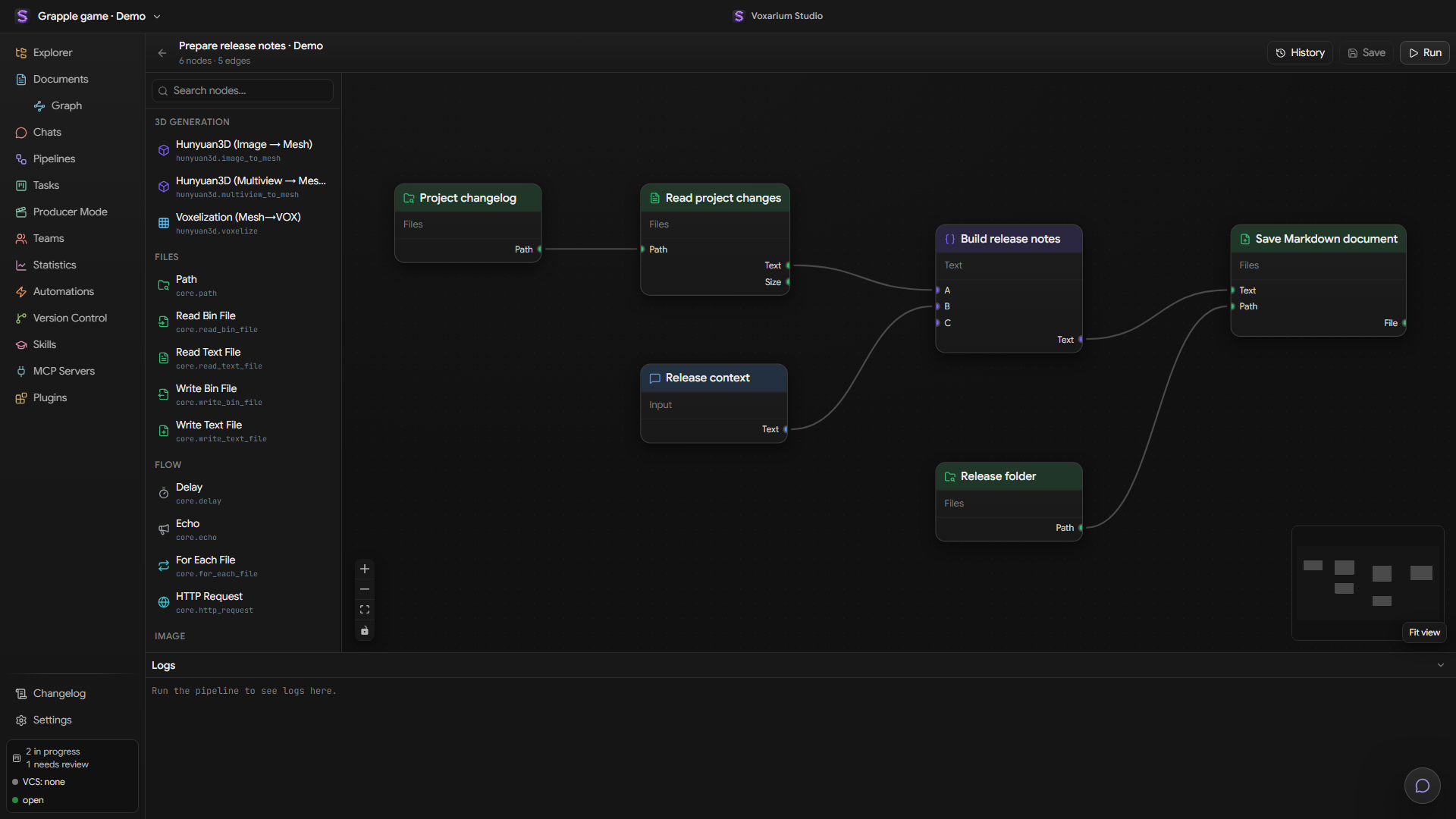
Documentation, asset previews, AI agent tasks and visual pipelines — together in one local workspace for game development.
Bring your agents
 Claude Code
 Codex
 Qwen Code
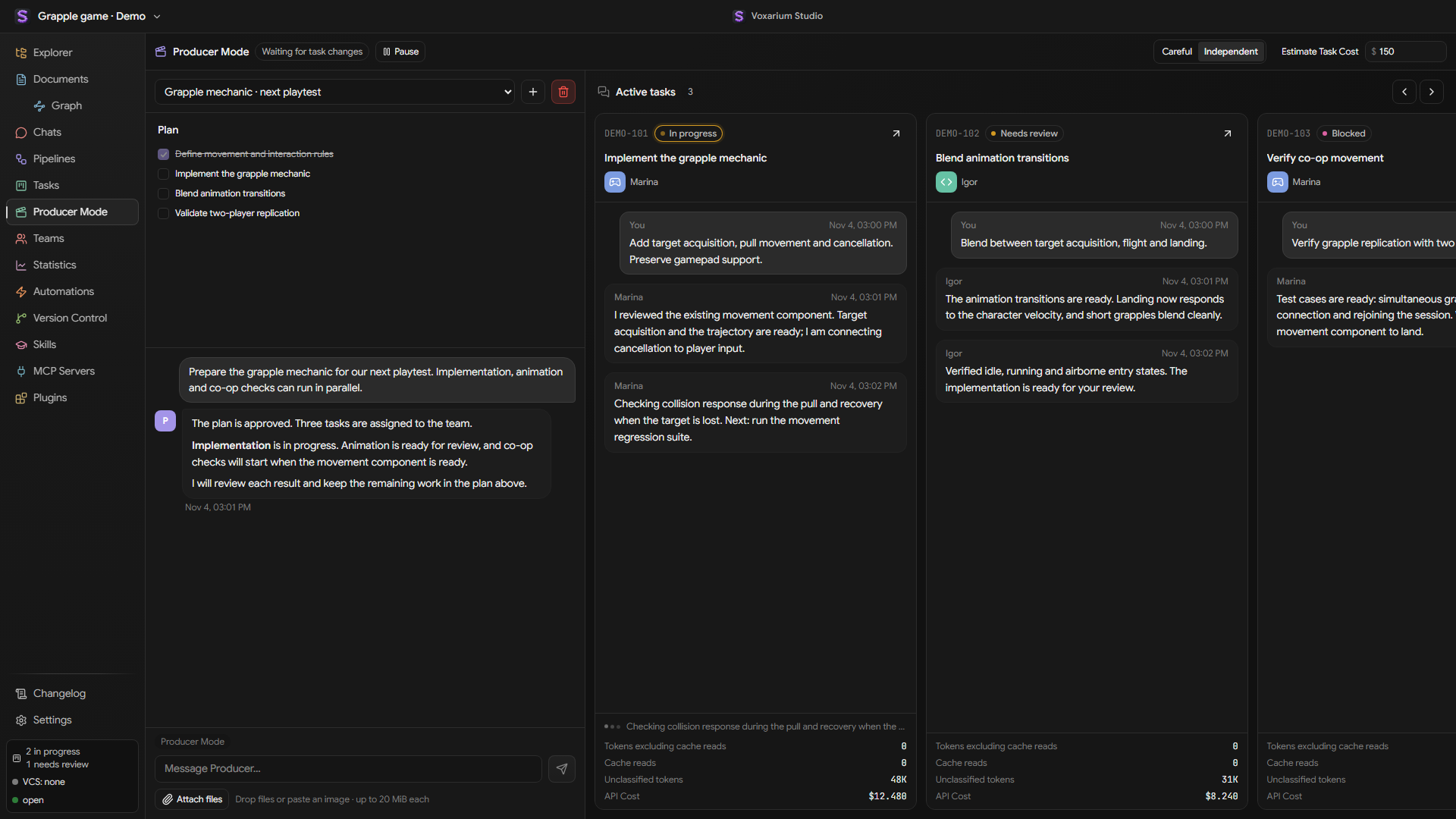
Describe what your game needs. The Producer turns the brief into tasks, coordinates your agents and brings the results back for review.
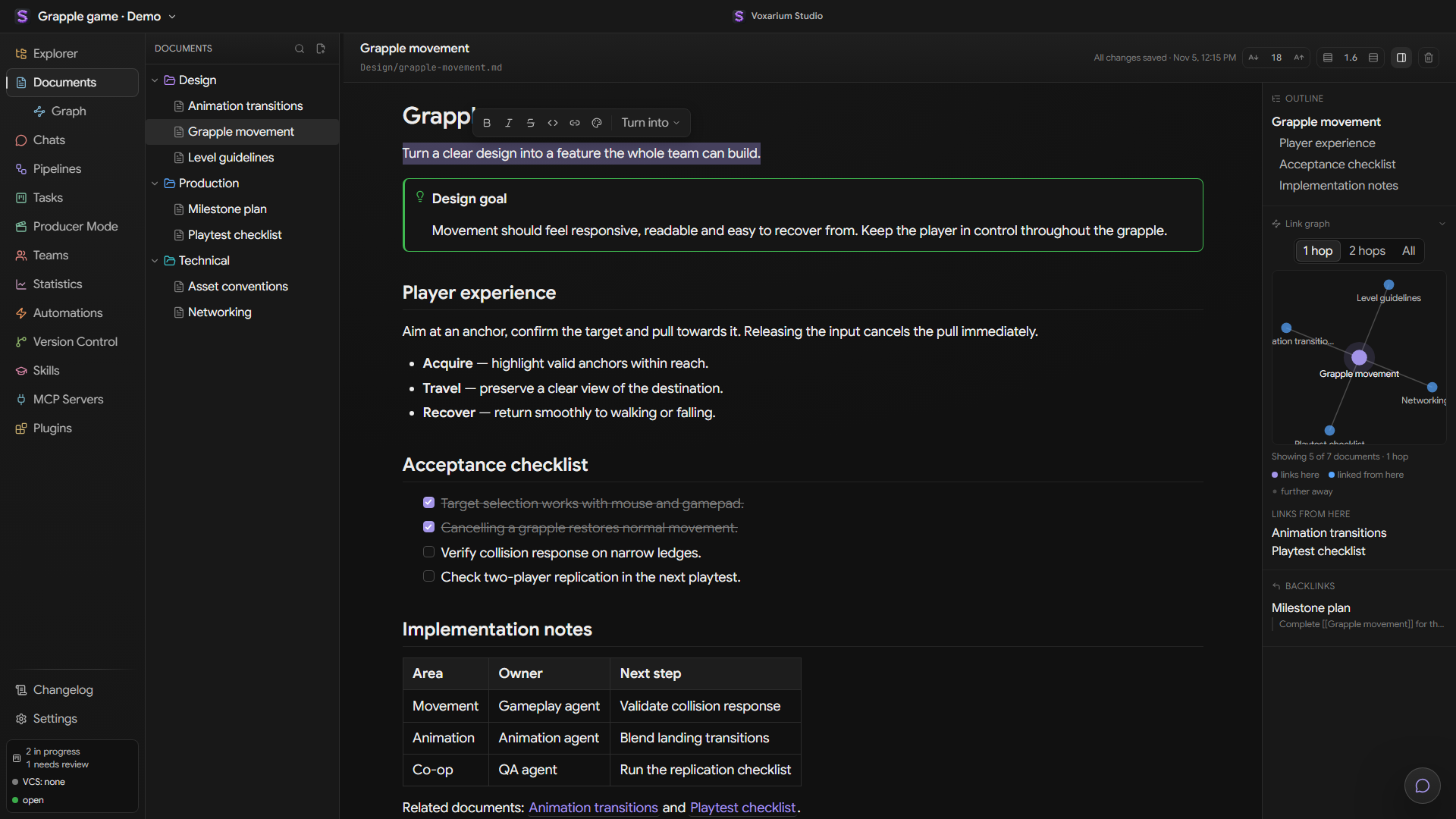
Write design notes, specs and checklists in a visual block editor. Keep documents as Markdown, linked to the rest of your project.
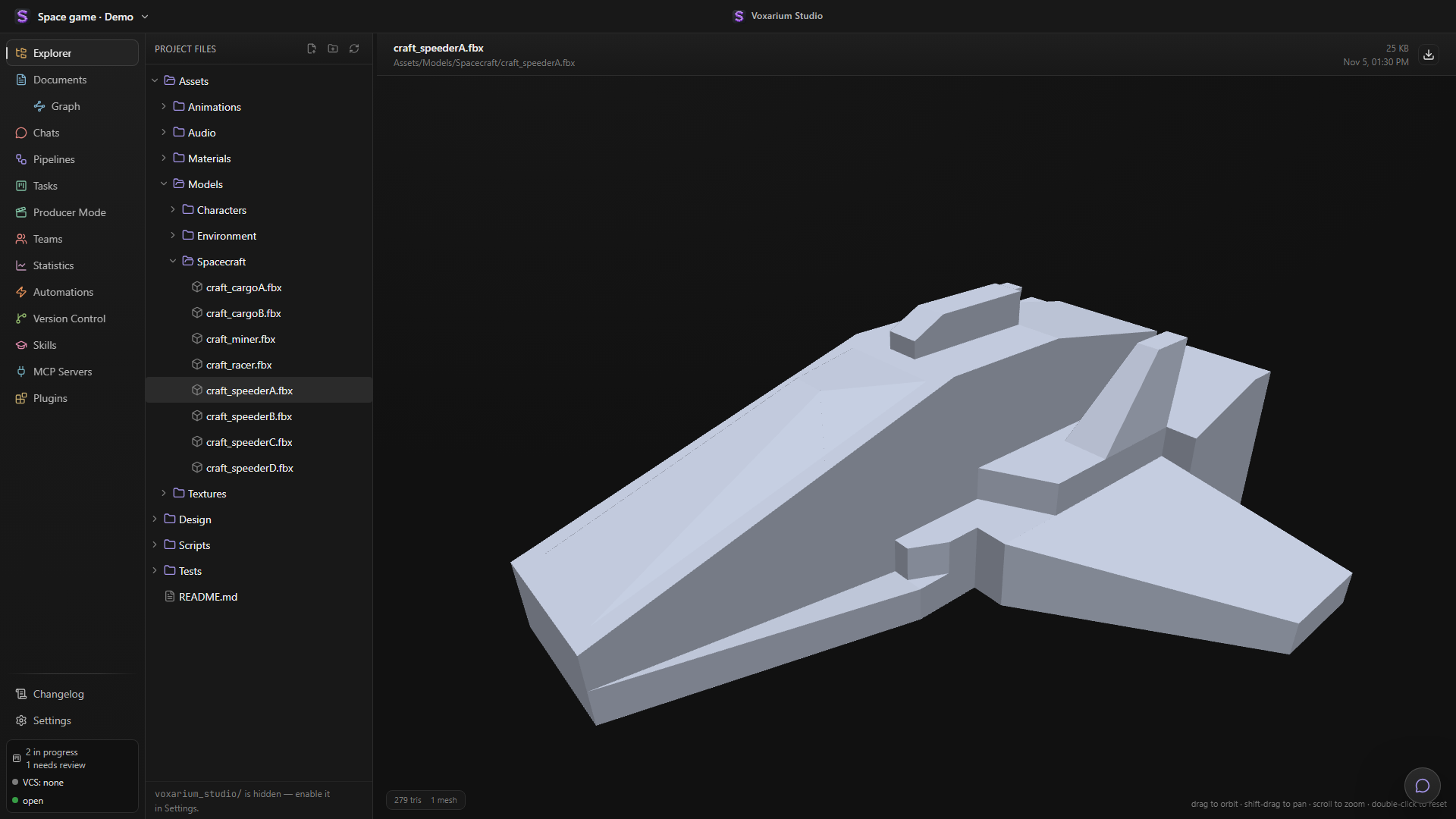
Open an FBX model right inside the Explorer. Inspect it in 3D while keeping the rest of your project files within reach.
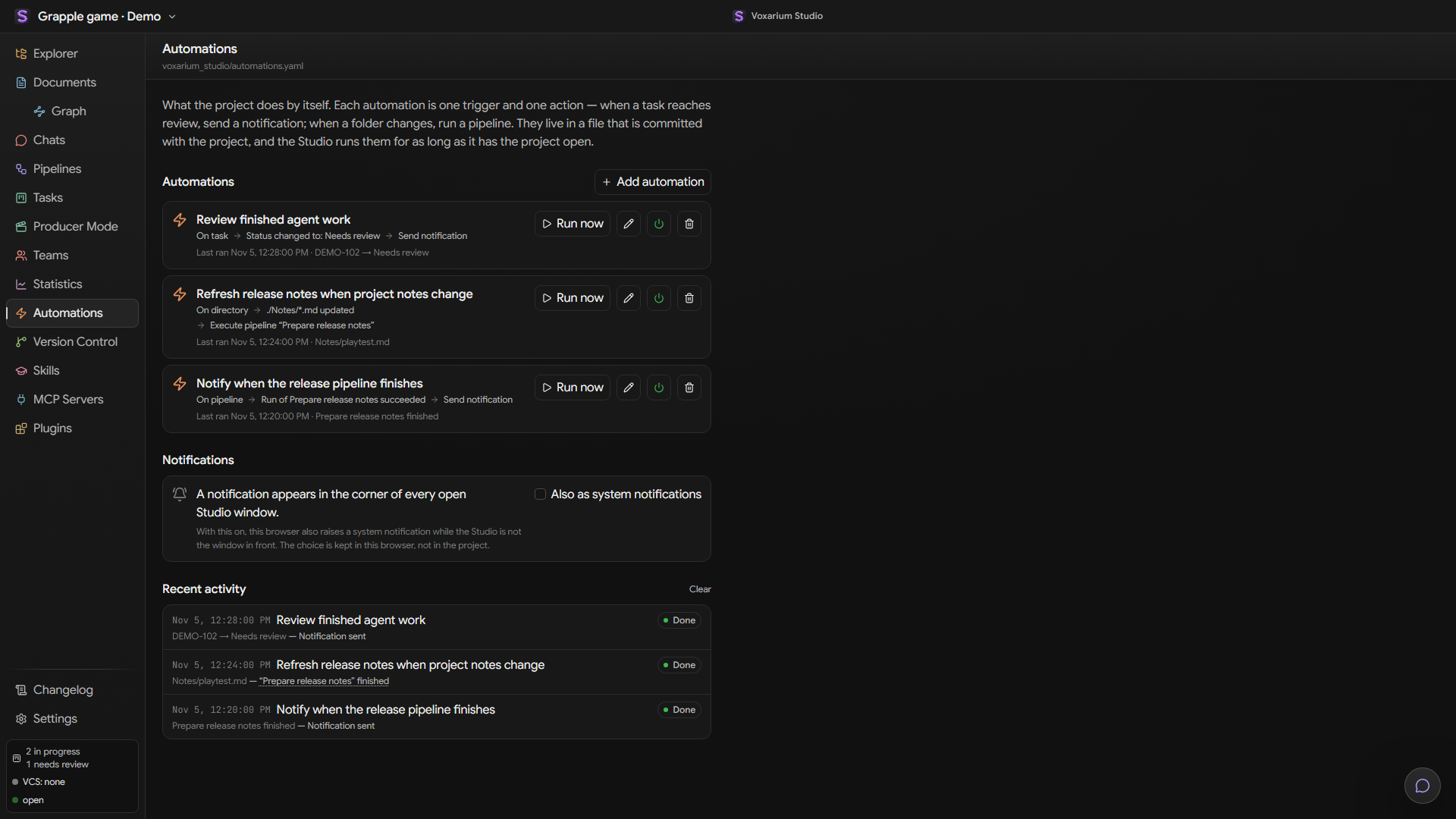
Turn project events into actions. Run a pipeline when files change, send a notification when a task needs review, and inspect every run.
Studio runs on your computer and works with your existing project. Connect the agents and extensions that fit your production.
Claude CodeCodexQwen Code Voxarium StudioYour local workspace
Claude Code, Codex and Qwen Code, with their own accounts and configuration.
Git, Plastic SCM and Perforce support, alongside the tasks and files being changed.
Plugins, Skills and MCP servers connect Studio to your production tools.